OpenGL Insights and more

In my previous blog post I mentioned the newly-released book OpenGL Insights. It’s worth a second mention, for a few reasons:

  • The editors and some contributors will be signing their book at SIGGRAPH at the CRC booth (#929) at Tuesday, 2 pm. This is a great chance to meet a bunch of OpenGL experts and chat.
  • Five free chapters, which can be found here. In particular, “Performance Tuning for Tile-Based Architectures” is of use to anyone doing 3D on mobile devices. Most of these devices are tile-based, so have a number of significant differences from normal PC GPUs. Reading this chapter and the (previously-mentioned) slideset Bringing AAA Graphics to Mobile Platforms (PDF version) should give you a good sense of the pitfalls and opportunities of mobile tile-based architectures.
  • The book’s website has an OpenGL pipeline map page (direct link to PDF here). Knowing what happens when can clarify some mysteries and solve some bugs.
  • The website also has a tips page, pointing out some of the subtleties of the API and the shading language.

While I’m at it, here are some other worthwhile OpenGL resource links I’ve been collecting:

  • ApiTrace: a simple set of wrapper DLLs that capture graphics API calls (also works for DirectX). You can replay and examine just about everything – think “PIX for OpenGL”, only better. For example, you can edit a shader in a captured run and immediately see the effect. Also, it’s open-source and as of this writing is actively being developed.
  • ANGLE: software to translate OpenGL ES 2.0 calls to DirectX 9 calls. This package is what both Chrome and Firefox use to run WebGL programs on Windows. Open source, of course. Actually, just assume everything here is open-source unless I say different (which I won’t).
    • Edit: Patrick Cozzi (one of the editors of OpenGL Insights) notes that there are several options for WebGL on IE. “Currently, I think the best option is to use Chrome Frame. It painlessly installs without admin rights, and also brings Chrome’s fast JavaScript engine to IE. We use it on http://cesium.agi.com and I actually demo it on IE (including installing Chrome Frame) by request quite frequently.”
  • Microsoft Internet Explorer won’t support WebGL, so someone else did as a plug-in.
  • Equalizer: a framework for coarse-parallel OpenGL rendering (think multi-display and multi-machine).
  • Oolong and dEngine: OpenGL ES rendering engines for the iPhone and iPad. Good for learning how things work. Oolong is 90% C++, dEngine is pure C. Each has its own features, e.g. dEngine supports bump mapping and shadow mapping.
  • A bit dated (OpenGL ES 1.1), but might be of interest: a readable rundown of the ancient Wolf3D engine and how it was ported to the iPhone.
  • gl2mark: benchmarking software for OpenGL ES 2.0
  • Matrix libraries: GLM is a full-blown matrix library based on OpenGL naming conventions, libmatrix is a template library for vector and matrix transformations for OpenGL, VMSL is a tiny library for providing modern OpenGL with the modelview/projection matrix functionality in OpenGL 1.0.
  • G3D: well, it’s more a user of OpenGL, but worth a mention. It’s a pretty nice C++ rendering engine that includes deferred shading, as well as ray tracing. I use it a lot for OBJ file display.
  • OpenGL works with cairo, a 2D vector-based drawing engine. Funky.
Seven things for July 25

Here we go:

  • Beautiful demo of various effects, the realtime hybrid raytracing demo RIGID GEMS. Do note there are controls. The foreground blurs for the depth-of-field are a little unconvincing, but the rest is lovely! (thanks to Steve Worley for the tip)
  • Books to check out at SIGGRAPH, or now (I’m sure there are more – let me know):  OpenGL Insights and Shadow Algorithms Data Miner. Five chapters of OpenGL Insights are free to read here. There are quite a few graphics books published since last SIGGRAPH, we have them listed here.
  • Scalable Ambient Obscurance looks worthwhile, and there’s even a demo and source.
  • I can’t say I grok it all yet, but Bringing AAA Graphics to Mobile Platforms (from GDC) has a lot of chewy information on what’s fast and slow on typical mobile hardware, as well as how it works. PDF version on the Unreal Engine site.
  • A somewhat older (a whole year or so old) article on changing resolution on the fly to maintain frame rate. (Thanks, Mauricio)
  • 3D printing opens up a wide range of legal issues, It Will Be Awesome if They Don’t Screw it Up gives an overview of some of these. There are a number of areas where the law hasn’t had to concern itself yet.
  • Echo chamber: stuff you should probably know about already, but just in case. 1) Ouya, a monster money-raiser Kickstarter project for an open console. Tim Lottes comments; my take is “Android games on a console? Weak.” but I’d love to see them succeed. 2) Source Filmmaker, a free film making system from Valve. People are getting busy with it.

To conclude, a photo that looks like a rendering bug; read about it here. If you like these sorts of things, see more at the “2 True 2B Good” collection.

So what am I missing?

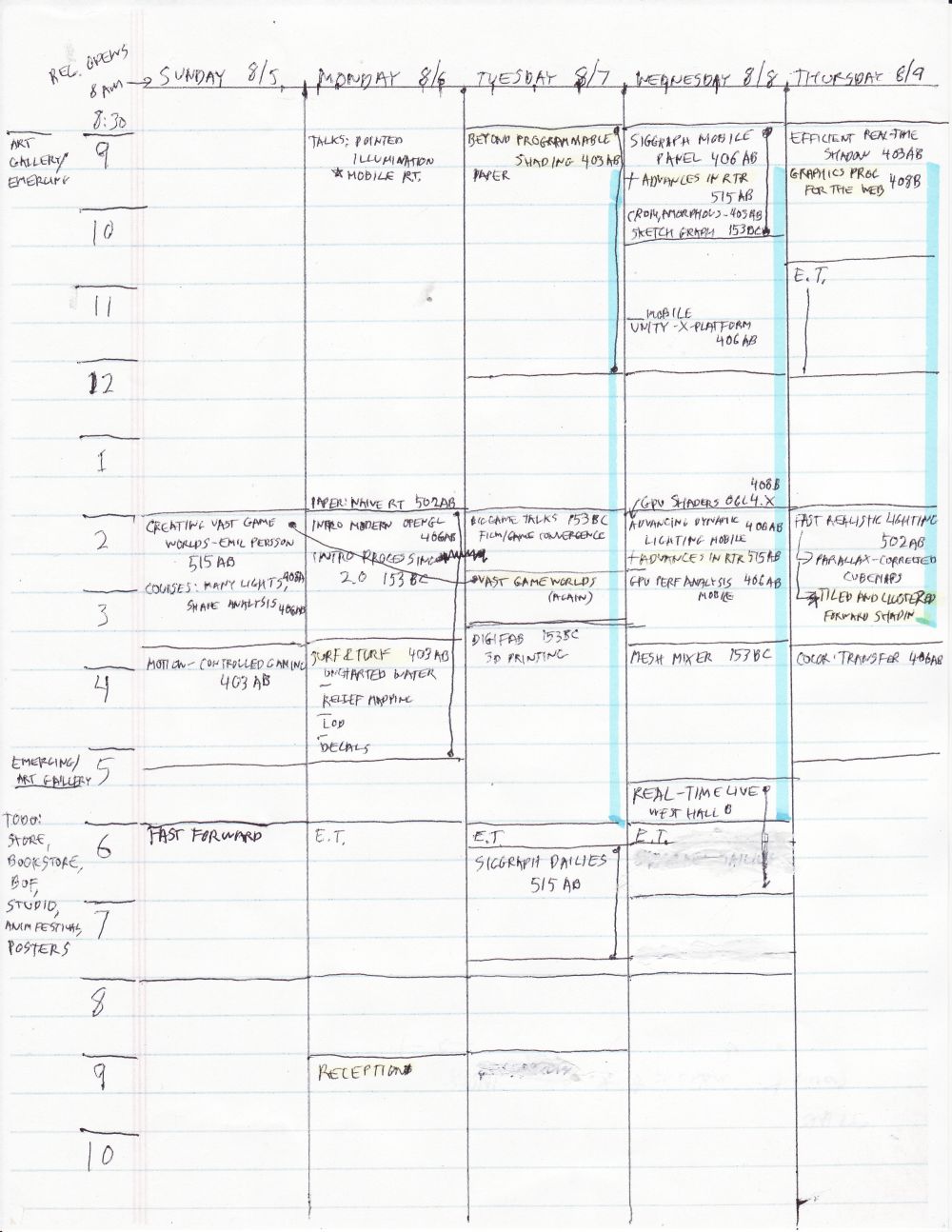
My schedule for SIGGRAPH so far (sans social gatherings), using this technology where you can put everything on this incredibly light-weight portable screen with an extremely high battery life (though the erase feature sucks if you use the high-contrast “ink” display mode):

SIGGRAPH 2012

I’ve tried various apps over the years and this is what works for me. On the back is plenty of room for quick notes on things to follow-up on after SIGGRAPH, if I write small enough.

Oh, and yes, Emil Persson’s talk is going to happen twice (not his fault, and I consider this A Very Good Thing), as, apparently, is the Processing 2.0 talk, also. Ah, wait, I just heard back from Andres, and the second Processing talk (on Tuesday) is cancelled.

Edits: added Fast Forward (thanks, Hanspeter). Also, I entirely forgot to look at the Exhibitor Talks, which have a few things of interest.

Oh, and here’s a neat Google Calendar thingy for SIGGRAPH 2012 that Dan Wexler pointed me at: http://skitten.org/2012/07/siggraph-2012-google-calendars/

Seven Things for June 22nd

Here goes:

  • The Journal of Computer Graphics Techniques has published its first accepted article: “Importance Sampling of Reflection from Hair Fibers”. Free for download, of course.
  • Mauricio Vives pointed out that the thirteenth article in a series going back to 2010 is now up: Fluid Simulation for Video Games. Not my particular interest, but my gosh this collection is impressive, it’s practically book-length at this point, and includes code snippets and a demo with source (you’ll need to install TBB to compile).
  • A new book has been announced, coming out in October: The CUDA Handbook. The author, Nicholas Wilt, was a software architect at NVIDIA who worked on CUDA since its inception.
  • John Owens pointed out an interesting way to search Google Scholar, by publications with the word graphics. This gives an interesting weighing of influence – no real surprises, and note that some conferences are not included (I highly doubt that EGSR, I3D, and HPG don’t make the cut).
  • Sebastien Lagarde gives an in-depth analysis showing how the Phong and Blinn specular highlight models are related by a factor of 4 in the power. This is an old result from Fisher & Woo in Graphics Gems IV, but it’s nice to see an independent verification and analysis.
  • Thinking of Graphics Gems, I wanted to mention this old piece of news now: Jim Arvo (editor of Graphics Gems II) passed away back on October 19th of last year. He did seminal work in ray tracing, Monte Carlo sampling, light transport, and many other areas, and was also just a great guy. See his homepage while it still is there.
  • There are mutant women who live amongst us with a fourth type of cone cell. There’s more information on Wikipedia.

SIGGRAPH 2012 early registration deadline is today

If you’re reading this after June 18th, oh well…

Registration page is here.

Me, I wouldn’t rate SIGGRAPH the premier interactive rendering research conference any more: I3D or HPG publish far more relevant results overall. SIGGRAPH still has a lot of other great stuff going on, and there are enough things of interest to me this year that I’m happy to be attending:

  • I guess the courses are the main draw for me right now, and some of these have become informal venues for interactive rendering R&D presentations (e.g. the Advances course).
  • SIGGRAPH Mobile could be interesting. Given the huge profit margins of GPUs for mobile vs. PCs, it’s where the market has moved. It feels a little “back to the future”, with GPU speeds getting reset about a decade vs. PC performance, but there’s some interesting research being done, e.g. this paper (not at SIGGRAPH but at HPG, I noticed it today on Morgan McGuire’s Twitter feed and thought it was fascinating).
  • I was thinking of arriving Sunday afternoon, but then noticed some interesting talks in the Game Worlds talks on Sunday, 2-3:30 pm.
  • Other talks will be of interest, I’ll need to wade through the list.
  • Emerging Technologies and the Exhibition Floor usually have something that grabs my attention (if nothing else, I can browse through new books), and I maybe should give Real Time Live a visit.
  • And, meeting people, of course – it’s inspiring and fun to hear what others are up to. Sometimes a little chance conversation will later have great value.

Why submit when you can blog?

I was cleaning up the RTR portal page today. Of all the links on this page, I often use those linked in the first three items. I used to have about 30 blogs listed. Trying them all today, 5 have disappeared forever (being replaced by junk like this and this), and 10 more are essentially dead (no postings in more than a year). Understandable: blogs usually don’t live that long. One survey gives 126 days for the average lifetime of a typical blog. Another notes even the top 100 blogs last an average of less than 3 years.

Seeing good blogs disappear forever is sad for me. If I’m desperate, I can try finding them using the Wayback Machine, but sometimes will find only bits and pieces, if that. This goes for websites, too. If I see some article I like, I try to save a copy locally. Even then, such pages are hard to find later – I’m not that organized. Other people are entirely out of luck, of course.

My takeaway: feel free to start a blog, sure. But if you have some useful programming technique you’ve explained, and you want people to know about it for some time to come, then also submit it to a journal. One blog I mentioned last post, Morten Mikkelsen’s, shows one way to mix the two: he shows new results and experiments on his blog, and submits solid ideas to a journal. I of course strongly suggest the (new, yet old) Journal of Computer Graphics Techniques (JCGT), the spiritual successor to the journal of graphics tools (as noted earlier, all the editors have left the old journal). Papers on concise, practical techniques and ideas are what it’s for, just the sorts of thing I see on many graphics blogs. Now that is journal is able to quickly publish ideas, I dearly want to see more short, Graphics Gems-like papers. If and when you decide to quit blogging/get hit by an asteroid/have a kid, if prior to this you also submitted your work to a journal and had it accepted, you then have something permanent to show for it all, something that others can benefit from years later. It’s not that hard, honestly – just do it. JCGT prides itself on working with authors to help polish their work and bring out the best, but there are plenty of other venues, ranging from SIGGRAPH talks, Gamasutra articles, and GPU Pro submissions to full-blown ACM TOG papers.

Oh, I should also note that JCGT is fine with work that is not necessarily new, but fills a gap in the literature, explains an improved way of performing an algorithm, gives implementation advice, etc. Citing sources is important – don’t claim work that isn’t your own – but otherwise the goal is simple: present techniques useful for computer graphics programmers.

By the way, if you do run a website of any sort, here are my three top pet peeves, so please don’t do them:

  • Moving page locations and leaving no forwarding page at the old page’s location (I’m looking at you, NVIDIA and AMD) – you don’t care if someone directs traffic to your site?
  • Giving no contact email address or other feedback mechanism on your web pages – you don’t want to know when something’s broken?
  • Giving no “last updated on” date on your web pages – you don’t want people to know how fresh the info is?

Seven Things for June 7th

I’ll be gone this weekend, so my dream of catching up on resources by posting every day is slowed a bit. Here’s today’s seven:

  • The free Process Explorer has a lot more functionality than its name implies. One very cool feature is that it actually shows GPU usage. Run it, right-click a process that’s running and select Properties, then go to the GPU Graph tab to watch memory use and GPU load.
  • If you are seriously involved in implementing bump maps, parallax occlusion maps, etc., Morten Mikkelsen’s blog has a lot of chewy information, along with demos and source. He’s doing a lot of interesting work on autogenerating and blending mappings.
  • The game itself is no great shakes, but Google’s Cube has some lovely 3D rendering going on via javascript.
  • Another “3D in the browser” experiment (with WebGL) is sketchPatch. It’s not as simple as advertised, but I like the idea of an interpreted language you just type and see in the same window.
  • There are lots of reasons Unreal Engine 3 is the most popular commercial 3D engine for games. Here’s some nice eye candy from their tutorial on image reflection, which is also just plain educational.
  • Some cool results here using cone tracing for global illumination effects. Seeing these effects for dynamic objects at interactive rates is great stuff, especially since they’re having to update octrees on the fly.
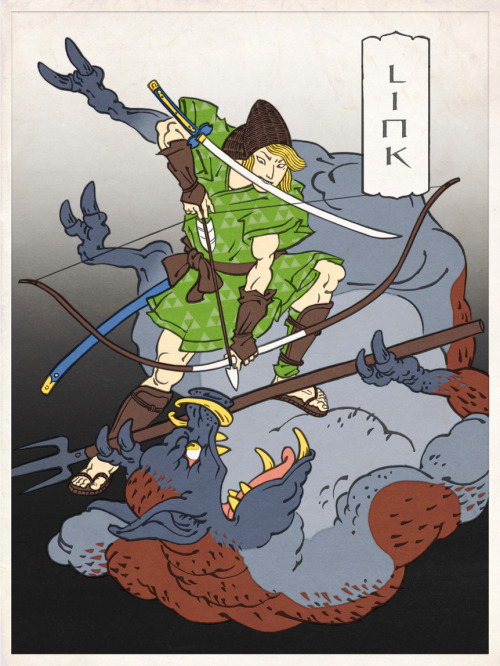
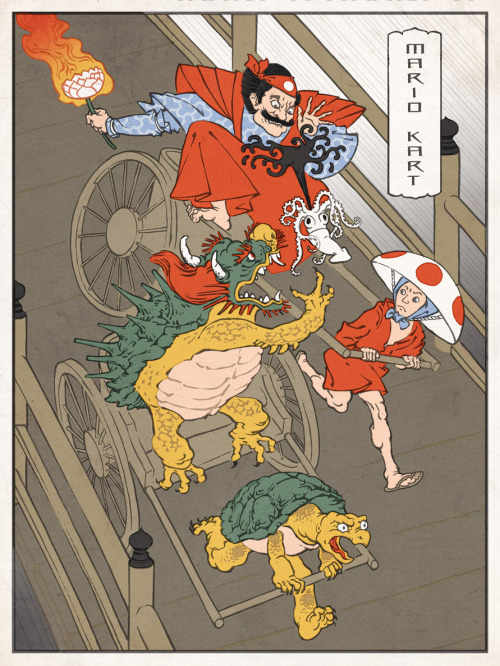
  • I love the colored Japanese woodcuts of classic videogames that Jed Henry has been making:

Seven Things for June 6th

It’s D-Day and it’s been awhile, so let’s get going. This is a LIFO of the 486 backlogged links I’ve collected for this blog:

  • GPUView looks like an interesting profiling tool from some students at Stanford (done as interns at Microsoft, which has a more official page), though I’ve heard it’s a bit of work to set up. If you’ve used it, how did you find it?
  • Open source code for a fast and scalable GLSL GPU implementation of the Perlin noise with functions, not textures.
  • NV Path Rendering is not what you might think, it’s about rendering text and 2D paths with quite a bit of elaboration available (think SVG or other 2D vector descriptions). GTC presentation here.
  • The book “Physically Based Rendering” is now in eBook form, including PDF (so I assume no DRM?). Annoyingly, it costs considerably more than the physical book on Amazon, but that’s the publisher’s doing.
  • Proland looked intriguing, a procedural terrain generator that creates based on view. Appears fairly elaborate, and a quick way to get some plausible-looking terrain data.
  • Geekbench is a cross-platform benchmarking system; from what I’ve heard, mobile platforms kind of set the clock back a fair number of year in terms of performance. Still, 3D is doable (it certainly was in 2002); here’s a starter list of 3D CAD apps for Android (many are on the iPad, too). I need to search out more, I’m interested in what’s out there.
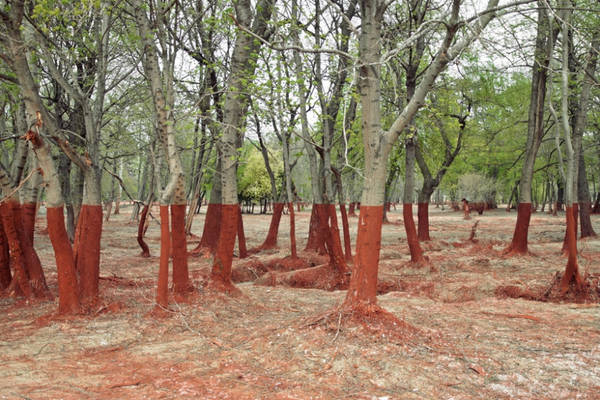
  • Finally, in the category “this looks like a painting but is reality”, a photo taken in Namibia:

New Open-Access Computer Graphics Journal

After talking about open access so much, it feels great to finally be doing something about it! Eric and I are both on the founding editorial board for the Journal of Computer Graphics Techniques (JCGT), a new peer-reviewed computer graphics journal which is open access, has no author fees, and is practice-focused (in the spirit of the Journal of Graphics Tools).

Similar to other journal “declarations of independence”, the JCGT was founded by the resigning editorial board of the Journal of Graphics Tools (JGT). Initially created as a “spiritual successor” to the Graphics Gems series of books, JGT had a unique focus on practical graphics techniques and insights, which is being continued at JCGT.

With Morgan McGuire (the editor-in-chief) and the rest of the editorial board, we plan to leverage this illustrious history, our expertise, and the advantages of online self-publishing and open access to create a truly exceptional journal. But we need your help. Like any journal, JCGT can only be as good as the papers submitted to it.

If you are a researcher, we hope the pedigree of the editorial board, the increase in impact afforded by open access, the lack of author fees, and the streamlined process will make JCGT compelling to you as a publication venue.

We also want to reach out to industry practitioners (especially game developers) who would not typically consider publication in a peer-reviewed journal. Similarly to its predecessor, JCGT emphasizes practicality and reproducibility over novelty and theory, and the papers differ from the typical “research paper” style (lengthy “related work”, “conclusion” or “future work” sections are not required). There are also many advantages to publishing in JCGT vs. more traditional industry channels such as trade conferences, magazines, books, and blog posts. The open access format guarantees wide and immediate distribution, and the peer-review process will provide valuable insights and comments on your work from some of the top experts in the field as well as assure potential readers of the high quality of the work.

Open access to research: an idea whose time has come. Be a part of it!

How to Submit SIGGRAPH Talks or Dailies at the Last Minute

UPDATE: The Dailies deadline has been pushed back to May 21st.

The last deadline for submitting SIGGRAPH Talks and Dailies is on May 1st, in just two days (the exact deadline is 22:00 UTC/GMT on May 1st – you can use this website to find out what time that is where you are).

That doesn’t leave much time at all. However a submission to either program can be done quickly, and I’m going to detail the exact steps needed. I’ll list Talks and Dailies separately, since each of these programs not only has a different submission procedure but is relevant to a different audience (Talks are typically presented by graphics programmers and tech artists; Dailies by production artists). This post in general is geared towards game developers rather than researchers, so I’m talking about Word rather than LaTeX, etc.

Last-Minute Talks Submission Process:

  1. Decide what you are going to talk about. Note that SIGGRAPH Talks are only 20 minutes long, and can cover a variety of topics. Some example Talk abstracts are linked at the end of a previous post; the guidelines under “Production Talks” in the Talks page “Evaluation” tab can also be useful. In general if you recently did anything technically cool related to graphics (rendering feature, art tool, asset creation workflow, etc.), it might be a good Talk topic.
  2. Make sure you have any needed permissions from your boss / employer / etc. to submit the Talk.
  3. Write a one-page abstract using this Word template – the links from the first step can also be useful for seeing how to boil down your presentation into a one-page description that will resonate with the jury. Make sure the abstract is only one page long, has at least one image, and clearly describes the specific innovations you will talk about. Save out a PDF file.
  4. If your Talk topic has a dynamic component to it (e.g. it’s about animation, simulation, or anything else that can’t be judged via still images alone), capture a small amount of video to upload with your submission; a few seconds to a minute are enough in most cases. The video must be in QuickTime MPEG-4 or DivX Version 6 formats, and the file size should not exceed 100 MB (smaller is better for ease of uploading – try to keep the file small by reducing resolution and increasing compression  – not too much or it will be hard to see the visual quality of your results).
  5. Create an account in the SIGGRAPH Information System (just log in if you already have an SIS account). Click on this link, fill in the items marked in bold red, and click the “Create My Account” button at the bottom. An email will be sent to the address you provided – make sure it wasn’t caught in a SPAM filter (it will arrive from [email protected]) and use the provided temporary password to log in. Check the “Change Password” checkbox, type in your temporary and new passwords and click the “Save” button and subsequent “OK” button.
  6. Click on “Begin a New Submission”. You may be asked to verify your account details – if this happens look them over, make any needed changes, click the “Save These Changes” button at the bottom, and click “Begin a New Submission” again.
  7. Look for the “Late Breaking” submission type, and click the “Create” button on that row.
  8. Copy-paste some appropriate text from the one-page abstract you previously wrote to fill in the “Title”, “Summary Statement” and “Short overview” sections. Select a few appropriate keywords and a primary jury  category (most likely “Behind the Scenes”, “Best Practices”, or “Methods and Systems”) from the drop-down lists provided. If you’ve previously presented the work elsewhere (e.g. GDC), check the appropriate checkbox and provide details. If the material you are uploading now differs in some significant way from the final presentation (e.g. you are using test assets now and will show final game assets at SIGGRAPH), check the appropriate checkbox and provide details. Ignore the “English Review Service” checkbox – there won’t be time to make use of that service; if you’re not fluent in English, ask a friend or colleague who is to help look over your submission. Don’t worry about the two Education Resources checkboxes either. Click the “Next>>>” button at the bottom of the page.
  9. Select “Yes” for “I have the necessary rights, permissions, and/or licenses…” (make sure you are indeed not uploading anything you don’t have the rights for – as long as its all from your work and your employer is OK with it you should be fine). In most cases you will select “No” for “My material contains audio” unless you are planning to upload video with an audio track (which you typically won’t need to do). If there is audio make sure it isn’t something like a song you don’t have permissions for (if this is in-game audio and your employer approves, you are likely OK here).
  10. You won’t have time now to ensure your employer is OK with all the various permissions, so just click “Deny” on the “To grant or deny all of the following rights to SIGGRAPH 2012…” option. Plan to talk to your employer after the deadline and try to get permission to grant as many of these as possible – if your submission is accepted you will be able to modify the permissions later (make sure you do!), and if it isn’t it won’t matter. Enter your full name in “By entering my full name…” on the bottom of the page and click “Next>>>”.
  11. On the “Add Presentation Formats” page, click the “Create->” button for the “Talk” format.
  12. Choose “20 minutes” for the length of your talk – it’s hard to get longer talks accepted and most topics of interest can be squeezed into 20 minutes. Click “Eligible for Studio Talk” if your talk has anything to do with asset or level creation, especially if there is a user-generated content aspect. Click “Next>>>”.
  13. Use the next page to upload the one-page PDF abstract you previously created. Also upload a “representative image” (typically the same image you used for one of the abstract figures, in JPEG format), and any video you have captured previously. Click “Next>>>”.
  14. Use the next page to add any co-authors. You can also add them later if the Talk is accepted, so if you don’t have time to do so now it’s OK. Click “Next>>>”.
  15. You are now done; you can still log in again any time before the deadline to tweak your submission if you want. Good luck!

Last-Minute Dailies Submission Process:

  1. Decide which of your work you will show. Dailies presentations are extremely short (about 2 minutes); they are intended to showcase a single bit of high-quality production art (animation, model, sequence, rig, effect, shader, etc.). There should also be an interesting backstory of some kind (an impossible deadline, a late-night inspiration, an artistic argument, an unexpected romance, etc). This example Dailies presentation and lists of accepted Dailies from SIGGRAPH 2010 and from SIGGRAPH 2011 might help in picking the right piece.
  2. Make sure you have any needed permissions from your boss / employer / etc. to submit the artwork.
  3. Write up the backstory of working on the piece. Did you have to work under a completely unreasonable deadline? Did you end up doing the exact opposite of what the art director said she wanted and she loved the results anyway? Did your life experiences inform the work (e.g. a background in breakdancing influencing a combat animation)? This should be an amount of text you can read onstage in less than two minutes, while video of your artwork plays behind you. Save out a PDF file of your backstory from Word, Google Docs etc.
  4. Capture a video (no more than 90 seconds long) which shows your work; this would be something like a model turntable, looping animation, progression sequence, etc. The submitted video needs to be QuickTime, H264 encoded, 640 x 360p, up to 90 seconds, no sound. This low-res video is just for reviewing purposes; upon acceptance you will need to submit a 720p video.
  5. Create an account in the SIGGRAPH Information System (just log in if you already have an SIS account). Click on this link, fill in the items marked in bold red, and click the “Create My Account” button at the bottom. An email will be sent to the address you provided – make sure it wasn’t caught in a SPAM filter (it will arrive from [email protected]) and use the provided temporary password to log in. Check the “Change Password” checkbox, type in your temporary and new passwords and click the “Save” button and subsequent “OK” button.
  6. Click on “Begin a New Submission”. You may be asked to verify your account details – if this happens look them over, make any needed changes, click the “Save These Changes” button at the bottom, and click “Begin a New Submission” again.
  7. Look for the “SIGGRAPH Dailies” submission type, and click the “Create” button on that row.
  8. Enter a title for your submission, as well as a one-sentence summary of the art piece and a slightly longer (2-3 sentences) overview explaining the key points (why it is good/interesting/etc.). Don’t worry about the Education Resources checkboxes at this point. Click the “Next>>>” button at the bottom of the page.
  9. Select “Yes” for “I have the necessary rights, permissions, and/or licenses…” (make sure you are indeed not uploading anything you don’t have the rights for – as long as its all from your work and your employer is OK with it you should be fine). Select “No” for “My material contains audio” (your captured video should not have an audio track).
  10. You won’t have time now to ensure your employer is OK with all the various permissions, so just click “Deny” on the “To grant or deny all of the following rights to SIGGRAPH 2012…” option. Plan to talk to your employer after the deadline and try to get permission to grant as many of these as possible – if your submission is accepted you will be able to modify the permissions later (make sure you do!), and if it isn’t it won’t matter. Enter your full name in “By entering my full name…” on the bottom of the page and click “Next>>>”.
  11. Use the next page to upload the PDF backstory you previously created. Also upload a “representative image” (just a frame from your captured video, in JPEG format), and the video itself. Click “Next>>>”.
  12. If your piece has any co-authors (most Dailies just have one author, but there might be someone else you want to also credit on the piece) use the next page to add them. You can also add them after acceptance, so if you don’t have time to do so now it’s OK. Click “Next>>>”.
  13. You are now done; you can still log in again any time before the deadline to tweak your submission if you want. Good luck!