Moving Targets, and Why They’re Bad

Executive summary: if you write anything or show off any images, you should make a real website, both for yourself and for others. The followup post gives some resources for doing so.

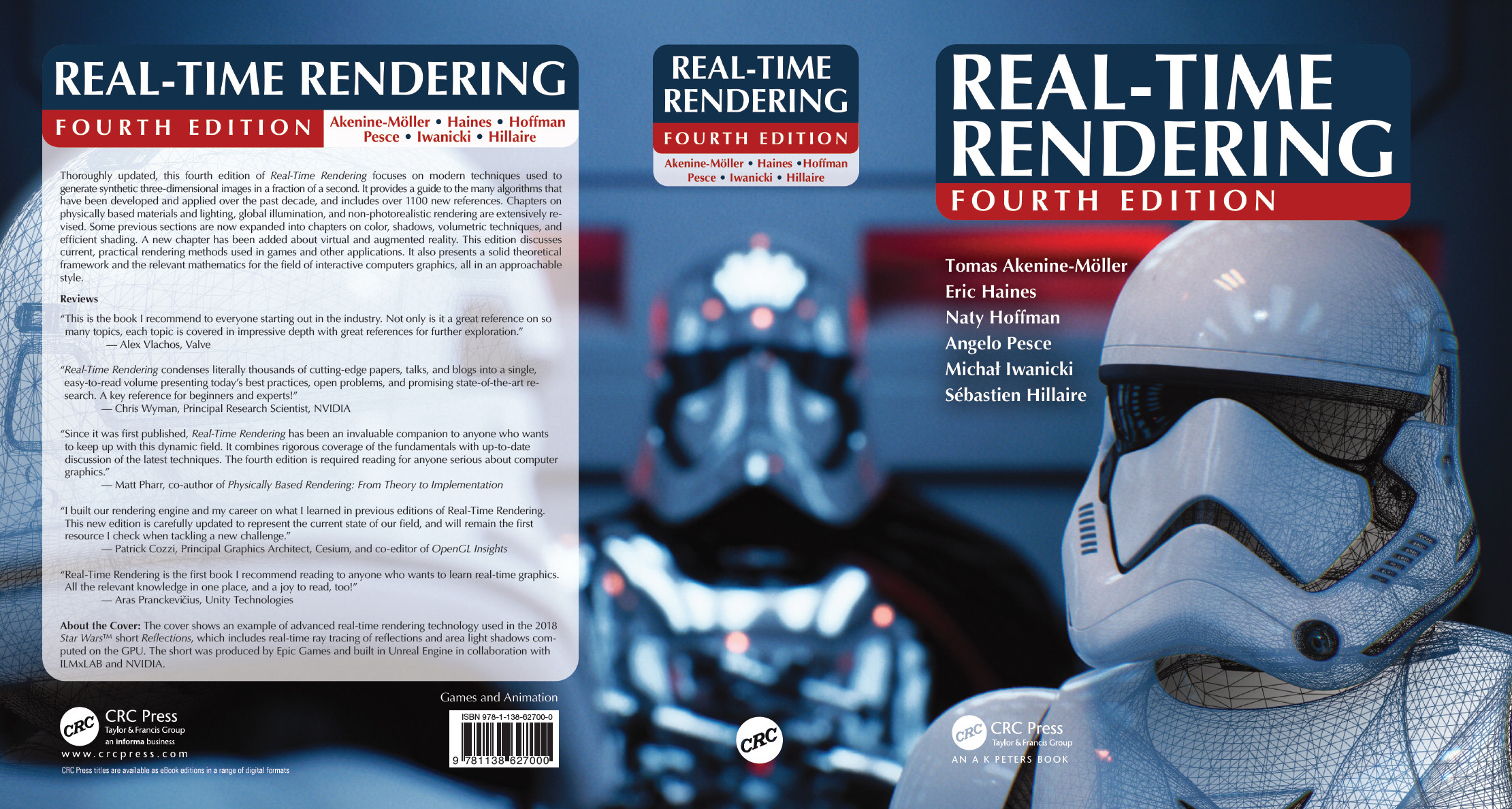
We’ve been updating the Real-Time Rendering site (take a peek – you might at least enjoy the 4th edition cover). Today I’ve been grinding through updating URLs for the references in the book. Even though the book’s not yet out, you can see what articles we reference and jump to the article from this page.

Most of the articles can be found through using Google or Google Scholar. A few articles are trickier to find, or have a few URLs that are relevant – that’s the value I feel I’m adding by doing this laborious task. The other reason is for helping avoid link rot – I’ll explain that in a minute. Another is virus protection. For example, one blog URL, for the article “Render Color Spaces” by Anders Langlands, has had its domain anderslanglands.com (DON’T GO THERE (REALLY)) taken over by some evil entity in May 2018 and now leads to a page full of nastiness.

In going through our reference page today and adding links, doing so reminds me how tenuous our storage of knowledge is for some resources on the internet. Printed journals at least have a bunch of copies around the world, vs. one point of failure. I’ve noted this before. My point today is this: if you publish anything, go buy yourself a domain and host it somewhere (I like bluehost, as do Morgan McGuire and Andrew Glassner, but there are no doubt cheaper ways). All totaled, this will cost you maybe around $110 a year. Do it, if you care about sharing your work or are at all serious about your career (e.g., lose your job or want another? You now have a website holding your CV or work, ready to show). URLs have a permanence to them, vs. company-specific semi-hosting schemes such as Github or Dropbox, where the rules can and do change. For example, I just found a Github-based blog entry from Feb. 2017 that’s now gone (luckily still on archive.org). With some poking around, I found that the blog entry is in fact still on Github, but appeared to be gone because Github had changed its URL scheme and did not redirect from the old URL to the new one.

Once you have a hosted URL, look at how others arrange their resources, e.g., Morgan McGuire recently moved all his content from the Williams College website to his own personal site. Grab a free template, say from W3 Schools or copy a site you like. Put any articles or presentations or images or whatever that you want people to find on that site. Me, I’m old school; I use basic HTML with a text editor and FileZilla for transfers, end of story. Start a WordPress or other blog, which is then hosted on your site and so won’t die off so easily. Once you have a modest site up, you are now done, your contributions to civilization are available to everyone until you forget to renew your domain or pay for web hosting. Assuming you remember, your content is available until you’re both dead and no one else keeps up with the payments (another good reason to renew for the longest duration). Setting up your own website isn’t some ego-stroking thing on your part – some of the rest of us want continued access to the content you’ve provided, so please do keep it available. If your goal in writing is to help the graphics community, then allow your work to live as long as possible. “But my blog posts and whatnot have a short freshness ‘read by’ date,” you complain. Let us decide that; as someone who maintains the Graphics Gems repository, a collection of articles from 1990-1995, I know people are still using this code and the related articles, as they report bugs and errata to me. “I have tenure, and my school’s been around for 200 years.” So when you retire, they’re going to keep your site going?

Most of us don’t grab a URL and host it, which is a pity for all concerned. Most of the links I fixed today rotted for one of three reasons: the site itself died (e.g., the company disappeared; I now can’t find this talk from 2012 anywhere, and at least 14 other sites link to it), the subdirectory on the site was deleted (e.g., for a student or faculty member no longer at the institution), or the URLs were reorganized and no redirection was put in place (and if you’re a webmaster, please don’t do this – take the time to put in some redirection, no matter how untidy it may feel to you). Some resources that still work are hanging on by a thread, e.g., three articles on our page are served up by FTP only. FTP! Update: see my follow-up post for where to find that 2012 talk now.

BTW, people have worked on how to have their sites outlive them, but so far I don’t know of a convincing system, one where the service itself is likely to outlast its participants. Some blog and presentation content does outlive its creator, or at least its original URL, as much of the internet gets archived by The Wayback Machine. So, for the virus-ridden anderslanglands.com site, the article I wanted to link to is available on archive.org. Jendrik Illner does something for his (wonderful) summary posts that I hadn’t seen before: each link also has a “wayback-archive” link for convenience, in case the link no longer works. You can also easily try such links yourself on any dead site by using this Chrome extension. With this extension active, by default a dead page will cause the extension to offer you to look on archive.org. Links have an average life of 9.3 years before they rot, and that’s just the average. You’re likely to live longer, so do your future older self a favor by saving them some time and distress: make a nice home for your resources now so you don’t have to later.

If you’re too busy or poor to host your own content, at least paste your important URLs into archive.org’s site (you can also use the “Save Page Now” option in the Chrome extension, if you have a lot of pages) and your content will get archived (though if it’s a large PDF, maybe not). However, content on archive.org is not included in Google searches, so articles there effectively disappear unless the searcher happens to have the original URL and thinks to use the Wayback Machine. Also, people may stop looking when they try your original URL and find, for example, a porn site (e.g., this archive.org graphics site’s original URL goes to one now). This won’t happen if you have your own URL and maintain it.

For longer-term storage of your best ideas, don’t just blog about a topic, submit it to a journal (for example, JCGT takes practical articles) or article collection book (e.g., GPU Zen series, Ray Tracing Gems) and so have it become accessible for a good long while. It is possible and reasonable to take good blog content and rework it into an article. Going through peer review and copy editing will polish your idea all that much more.

These ramblings reflect my (limited) view of the world. If you know other approaches or resources to combat any aspect of link rot, please do let me know and I’ll fold them in here and credit you. Me, I hate seeing information get lost. Fight entropy now. Oh, and please put a date on any page you put up, so the rest of us can know if the page is recent or ancient history. Blog entries all have dates; everything else should, too.

Update: see my next post for some followups and a bunch of inexpensive options for making your own site.


Seven Things for June 27, 2018

First two are the real reason for the post, the third is something I read today, the rest are bits from my twitter feed, in case you don’t hang on my every word there.

  • Jendrik Illner summarizes graphics blog articles in his Graphics Programming weekly. Think of it as your one-stop blog for computer graphics. I wasn’t sure if he’d stick with it, seems like a lot of work to me, but he’s nearing a year’s worth of issues.
  • The free, weekly Level Up Report by Mark DeLoura provides pointers to all sorts of developments and resources for learning through games, coding, and making. Subscribe!
  • Predatory Open Access journals – recent summary from The Economist, with some sad tales. Wikipedia notes some other sting operations, and also gives some counter-criticism.
  • Open source’s use in commercial products is on the rise, with a surprising average of 57% of the code in a proprietary application’s codebase being open.
  • Jamie Wong created a pleasant, profusely illustrated introduction to color science for computer graphics display.
  • I truly start with NVIDIA in August. With my time off, I’ve been occasionally finding time to have fun, with little projects in three.js such as this editable illusion and this local demoparty entry, and my chex_latex script now works on plain text files (yes, after too much time on The Book, I find copy editing fun, or at least a compulsion). Nothing astounding, keep your expectations low.
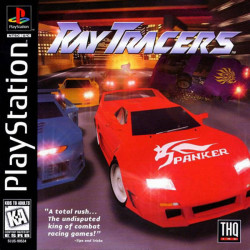
  • I don’t understand why people keep saying there has never been a mainstream game using a ray tracer. Here’s one from 1997 by Taito on the PlayStation:

One day left for the (optional) “Ray Tracings Gems” promotion

One more day for (optionally) submitting a proposal for Ray Tracing Gems for a shot at also winning a Titan V GPU. You can find the details and an update on what (the heck) a proposal is and what we’re looking for is on this page. A proposal is optional, the article is the main thing, but we hope this promotion gets you thinking about it. We’re happy to hear from you after tomorrow, of course, so please feel free to bounce ideas off of us.

Being the last one in the world to contribute to this meme, maybe our cat Ezra will inspire you:


One week to go… Submit!

The Ray Tracing Gems early proposals deadline is June 21, a week away (the final deadline is October 15th). Submit a one-page proposal by June 21 and there’s the extra incentive offered by NVIDIA, a Titan V graphics card to the top five proposals (which I finally looked up – if you don’t want it, trade it in for a nice used car). Anyway, call for proposals for the book is here.

While some initial impetus for making such a book is the new DXR/VKRT APIs, we want the book to be broader than just this area, e.g.,  ray tracing methods using various hardware platforms and software, summaries of the state of the art, best practices, etc. In the spirit of Graphics Gems, GPU Gems, and the Journal of Computer Graphics Techniques, I see our book as a way to inform readers about implementation details and other elements that normally don’t make it into papers. For example, if you have a technique that was not long enough, or too technically involved, to publish in a journal article, now is your chance. Mathematics journals publish short results all the time – computer graphics journals, not so much.

I would also like to see summaries for various facets of the field of ray tracing. For example, I think of Larry Gritz’s article “The Importance of Being Linear” from GPU Gems 3 as a great example of this type of article. It is about gamma correction – not a new topic by any stretch – but its wonderful and thoughtful exposition reached many readers and did a great service for our field. I still point it out to this day, especially since it is open access (a goal for Ray Tracing Gems, too).

You can submit more than one proposal – the more the better, and short proposals are fine (encouraged, in fact). That said, no “Efficient Radiosity for Daylight Simulation in Closed Environments” papers, please; that’s been done (if that paper doesn’t ring a bell, you owe it to yourself to read the classic WARNING: Beware of VIDEA! page). In return, we promise fair reviewing and not to roll the die.

Update: a proposal is just a one-page or less summary of some idea for a paper, and can be written in any format you like: Word, PDF, plain text, etc. Proposals are not required, either by June 21 or after. They’re useful to us, though, as a way to see what’s coming, let each prospective contributor know if it’s a good topic, and possibly connect like-minded writers together. Also, a proposal that “wins” on June 21 does not mean the paper itself will automatically be accepted – each article submitted will be judged on its merits. The main thing is the paper itself, due October 15th. Send proposals to [email protected] – we look forward to what you all contribute!

Monument to the Anonymous Peer Reviewer,

Monument to the Anonymous Peer Reviewer

Propose a great RT article and win a Titan V graphics card

I’m passing on this tweet from Tomas:

Titan V competition w/ Ray Tracing Gems.

Submit a one-page abstract to [email protected]
The five best article proposals will receive a Titan V graphics card. Submit before the end of June 21st.
More info: https://nvda.ws/2spqrUK

I also wanted to note that the Ray Tracing Gems CFP has been updated with some significant new bits of information:

The book will be published by Apress, which is a subsidiary of Springer Nature and the e-book will be available in PDF, EPUB, and Mobi (Kindle). We are working on getting open access for the e-book, which means that it will be free for all, and that authors may post a draft version to other sites; however, we ask that they include a link to the final version once published. The printed book will cost approximately $60.


Quick Tool to Check Your LaTeX

Executive summary: use the Perl script at https://github.com/erich666/chex_latex

I have been fiddling with this Perl script for a few editions of Real-Time Rendering. It’s handy enough now that I thought I’d put it up in a repository, since it might help others out. There are other LaTeX linters out there, but I’ve found them fussy to set up and use (“just download the babbleTeX distribution, use the GNU C compiler to make the files, be sure to use tippyShell for the command line, and define three paths…”). Frankly, I’ve never been able to get any of them to work – maybe I just haven’t found the right one, and please do point me at any (and make sure the links are not dead).

Anyway, this script runs over 300 tests on your .tex files, returning warnings. I’ve tried to keep it simple and not over-spew (if you would like more spew, use the “-ps” command line options to look for additional stylistic glitches). I haven’t tried to put in every rule under the sun. Most of the tests exist because we ran into the problem in the book. The script is also graphics-friendly, in that common misspellings such as “tesselate” are flagged. It finds awkward phrases and weak writing. For example, you’ll rarely find the word “very” in the new edition of our book, as I took Mark Twain’s advice to heart: “Substitute ‘damn’ every time you’re inclined to write ‘very.’ Your editor will delete it and the writing will be just as it should be.” So the word “very” gets flagged. You could also find a substitute (and that website is also in the comments in the Perl script itself, along with other explanations of the sometimes-terse warnings).

Maybe you love to use “very” – that’s fine, just comment out or delete that rule in the Perl script, it’s trivial to do so. Or put “% chex_latex” as a comment at the end of the line using it, so the warning is no longer flagged. The script is just a text file, nothing to compile. Maybe you delete everything in the script but the one line that finds doubled words such as “the the” or “in in” or similar. In testing the script on five student theses kindly provided by John Owens, I was surprised by how many doubled words were found, along with a bunch of other true errors.

Oh, and even if you do not use this tool at all, consider at least tossing your titles through this website’s tester. It checks that all the words in a title are properly capitalized or lowercase.

A few minutes of additional work with various tools will make your presentation look more professional (and so, more trustworthy), so “just do it”. And, do you see the error in that previous sentence (hint: I wrote it in the U.S.)?

Update: I also added a little Perl script for “batch spell checking,” which for large documents is much more efficient (for me) than most interactive spell checkers. See the bottom of the repo page for details.

Not April Fool’s

I mentioned in a post last week that I expected interest in ray-tracing to increase. So, there actually does appear to have been an uptick in Google searches on the term “ray-tracing,” looking at Google Trends. The last time there was as much interest was March 2010 (though other months in between have come close).

It’s a funny area to explore: South Korea seems the most interested, by far. Under “Related topics” is “NVIDIA – Company,” which is not surprising. What’s funny is that if you click that topic, you find that NVIDIA is of strongest interest in Romania, followed by Czechia, Estonia, Hungary, then Russia. I assumed the explanation is “Bitcoin,” but that’s not quite right. According to NVIDIA’s CEO, it’s actually Ethereum mining, as Bitcoins are most profitably mined by custom ASICs at this point. Such a world.

“Real-Time Rendering, 4th Edition” available in August 2018

As announced today at the Games Developers Conference by CRC Press / Taylor & Francis Group (booth 2104, South Hall – I’m told there’s a discount code to be had), we’re indeed finally putting out a new edition of Real-Time Rendering. It should be out by SIGGRAPH if all goes well. Tomas, Naty, and I have been working on this edition since August 2016. We realized that, given the amount that’s changed in area lighting, global illumination, and volume rendering, that we could use help, so asked Angelo Pesce, Michał Iwanicki, and Sébastien Hillaire to join us, which they all kindly and eagerly did. Their contributions both considerably improved the book and got it done.

If you want me to just shut up and tell you where to pre-order, go here. You’ll note the lack of cover, and lack of the new three authors. Those’ll get fixed once there’s a more official launch, and official pricing. I suspect the price won’t go down (which is a hint, and you can cancel later if I’m wrong; which reminds me, you should also book a room now for SIGGRAPH if you have the slightest chance of going, since you can also cancel up until July 22 without penalty).

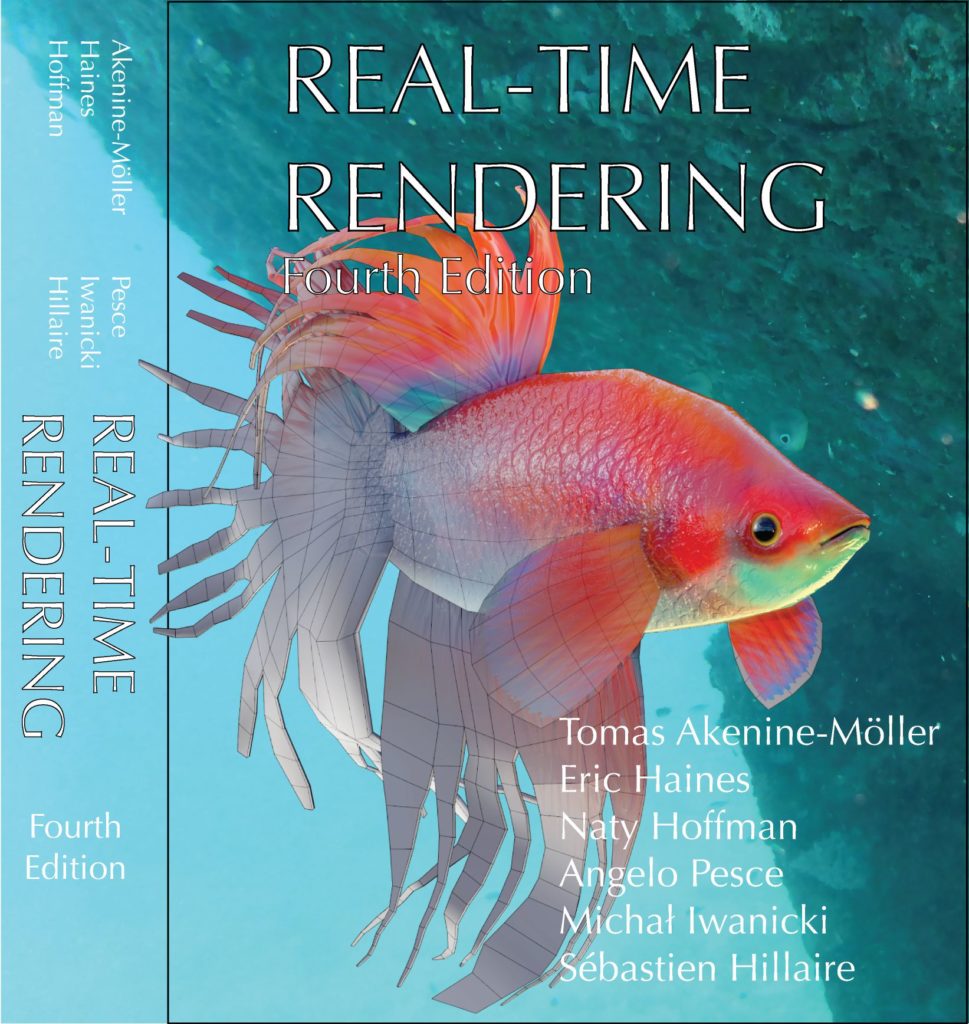
One reason for no cover is that we’re still evaluating them. At the GDC booth you’ll see this artwork used:

fish cover candidate

This is a lovely, colorful model by Elinor Quittner. You can see the interactive model here, and definitely check out the Model Inspector feature on that page by clicking the “I” key (or the “layers” looking icon in the lower right) once the model’s loaded. I love this feature in Sketchfab, that you can examine the various elements. All that said, we’re still examining a number of other cover possibilities. Me, I’m happy we get to show off this potential design here now.

Back to the book itself. Let’s look at page count:

  • First edition, published 1999, 482 pages
  • Second edition, published 2002, 864 pages
  • Third edition, published 2008, 1045 pages
  • Fourth edition, to be published 2018, 1269? pages (1356?, including online)

This new edition is probably a worst-kept secret, in that anyone searching “Real-Time Rendering, 4th edition” on Amazon would have found the entry months ago, and CRC put it on their site some time before March 11. Also, doing a quick count just now, not including the editorial staff, 178 people helped us out in some way: reviewing sections or chapters, providing images, or clarifying concepts. The kind and generous support we’ve received is one of the reasons I love this field. There’s competition between companies, between research teams, and all the rest, it’s part of the landscape. But, underlying this “red in tooth and claw” veneer of competition, most everyone we asked genuinely wanted to share their knowledge and labor to help others understand how things work. I hope it’s the same in other fields, but I know it’s true for this one.

The progression of 3 years between 1st and 2nd, 6 between 2nd and 3rd, and 10 between 3rd and 4th is a reflection not so much of the length of time it takes for each new edition (which has indeed steadily increased), but rather how long it takes us to forget all the stress and pain involved in making a new edition. As a data point, our Google Doc of new references since the last edition is around 170 pages long, and does not include references we could easily dismiss, nor those we ran into later when more closely reading and writing. Each page has about 20 references on it (some duplicated among chapters), about 3200 in all. In the fourth edition we added “only” 1151 new references, and deleted 508 older ones, for a final total of 2059 references (this does not include references on collision detection – more on that in a minute).

We could have added all 3200 and more, but instead focused on that which sees use in applications, or is newest and presents a good overview of the state of the art in its area. The field has simply become far too large for us to cover every piece of research, and doing so would have been a disservice to most readers. On the other end of the spectrum, we have continued to avoid API-specific information and code, as there are plenty of books, repositories, and articles describing these – this website points to many of them (and will be updated in the coming months). We aim to be a guide to algorithms for practitioners.

To conclude, here’s the list of chapters:

1 Introduction
2 The Graphics Rendering Pipeline
3 The Graphics Processing Unit
4 Transforms
5 Shading Basics
6 Texturing
7 Shadows
8 Light and Color
9 Physically-Based Shading
10 Local Illumination
11 Global Illumination
12 Image-Space Effects
13 Beyond Polygons
14 Volumetric and Translucency Rendering
15 Non-Photorealistic Rendering
16 Polygonal Techniques
17 Curves and Curved Surfaces
18 Pipeline Optimization
19 Acceleration Algorithms
20 Efficient Shading
21 Virtual and Augmented Reality
22 Intersection Test Methods
23 Graphics Hardware
24 The Future

If you have a great memory, you’ll notice that the “Collision Detection” chapter from the 3rd edition is missing. We have a fully-updated chapter on this subject for the 4th edition. However, the page count was such that we decided to distribute it, along with the two math-related appendices in the 3rd edition, as online chapters free to download (Collision detection is not strictly a part of real-time rendering, but is an area we think is fascinating and where a fair bit of change has occurred – about 40% of the chapter is new material). We’ll be formatting all of these resources into PDF files nearer to release.

Because I have an addiction to text manipulation and analysis programs (more on that in a future blog post), I did some measures of how much the fourth edition is different than the third. The highly-precise but who knows how accurate number I computed was 59.81% new material by lines changed. By further weighting using the character count, I get a value of 68.99% new. These are probably high – if you change a word in a sentence, or even just join two lines into one, the whole line is considered new – but the takeaway is that a lot has changed in the past decade. We’ve learned a huge amount from writing the book, and by SIGGRAPH look forward to sharing it with you all.

“Ray Tracing Gems” Book Call for Participation

Given the recent DXR announcements, Tomas Akenine-Möller and I are coediting a book called Ray Tracing Gems, to come out at GDC 2019. See the Call for Participation, which pretty much says it all. The book is in the spirit of the Graphics Gems series and journals such as JCGT. Articles certainly do not have to be about DXR itself, as the focus is techniques that can be applied to interactive ray tracing. The key date is October 15th, 2018, when submissions are due.

To self-criticize a tiny bit, the first sentence of the CFP:

Real-time ray tracing – the holy grail of graphics, considered unattainable for decades – is now possible for video games.

would probably be more factual as “Real-time ray tracing for video games – … – is now possible.” But, the book is not meant to be focused on just video game techniques (though video games are certainly likely to be the major user). I can see ray tracing become more a standard part of all sorts of graphics programs, e.g., much faster previewing for Blender, Maya, and the rest.

As far as “considered unattainable for decades” goes, interactive ray tracing has been attained long ago, just not for (non-trivial) video games or other interactive applications. My first encounter with an interactive ray tracer was AT&T’s Pixel Machine back in 1987. I had put out the Standard Procedural Databases on Usenet the week before SIGGRAPH, and was amazed to see that they had grabbed them and were rendering some in just a few seconds. But the real excitement was a little postage-stamp (well, maybe 6 stamps) sized rendering, where you could interactively use a mouse to control a shiny sphere’s position atop a Mandrill plane texture.

The demoscene has had real-time ray tracers since 1995, including my favorite, a 252 byte program (well, 256, but the last four bytes are a signature, “BA2E”) from 2001 called Tube by 3SC/Baze. Enemy Territory: Quake Wars was rendered using ray tracing on a 20-machine system by Daniel Pohl at Intel a decade ago. OptiX for NVIDIA GPUs has been around a long time. Shadertoy programs usually perform ray marching. Imagination Technologies developed ray tracing support for mobile some years back. There are tons more examples, but this time it feels different – DXR looks here to stay, with lots of momentum.

Ray tracing is, in my opinion, more easily adopted by computer-aided design and modeling programs, as users are willing to put up with slower frame rates and able to wait a few seconds every now and then for a better result. Systems such as KeyShot have for some years used only ray tracing, performing progressive rendering to update the screen on mouse up. Modelers such as Fusion 360 allow easy switching to progressive ray tracing locally, or for finished results can render at higher speeds on the cloud. I think DXR will make these few seconds into a handful of milliseconds, and near-interactive into real-time.

In a sense, this history misses the point: for interactive rendering we use whatever gives us the best quality in an allotted amount of time. We usually don’t, and probably shouldn’t, trace rays everywhere, just for the purity of it. Rasterization works rapidly because of coherence exploited by the GPU. Ray tracing via DXR is a new piece of functionality, one that looks general enough and with support enough that it has the potential to improve quality, simplify engine design, and reduce the time spent by artists in creating and revising content (often the largest expense in a video game).

Long and short, DXR is the start of an exciting new chapter in interactive rendering, and we look forward to your submissions!

Ray Tracing at GDC (and beyond)

One reason I love interactive graphics is that every now and then something happens in the field – programmable shaders, powerful mobile devices, DX12/Vulkan/Metal, VR, AR, and now this – that changes what’s possible and how we think about interactive rendering. New algorithms arise to exploit new and different functionality. It’s a fun world!

Microsoft added ray tracing support to its DirectX API. And this time it’s not an April Fool’s Day spoof, like a decade ago. Called DirectX Raytracing, DXR for short, it adds the ability to cast rays as shader invocations. There are already a bunch of articles and blog posts.

Here are the resources I’ve noticed so far (updated as I see new ones – let me know):

It will be interesting to see if there’s any spike of interest for ray tracing on Google’s analytics. While I doubt having DXR functionality will change everything – it still has to be performant compared to other specialized techniques – it’s great seeing another tool in the toolbox, especially one so general. Even if no ray tracing is done in an interactive renderer that is in development, it will now be much easier to get a ground-truth image for comparison when testing other techniques, since shader evaluations and all the rest now fit within a ray tracing fragment. Ray and path tracing, done long enough (or smart enough), give the correct answer, versus screen-based techniques.

Doing these fast enough is the challenge, and denoisers and other filtering techniques (just as done today with rasterized-buffer-based algorithms) will see a lot of use in the coming months and years. I’m going to go out on a limb here, but I’m guessing GPUs will also get faster. Now if we can just get people to stop upping the resolution of screens and stop adding more content to scenes, it’ll all work out.

Even within the Remedy talk, we see ray tracing blending with other techniques more appropriate for diffuse global illumination effects. Ambient occlusion is of course a hack, but a lovely one, and ray tracing can stand in for screen-space methods and so avoid some artifacts. I think getting away from screen-space techniques is potentially a big win, as game artists and engineers won’t have to hack models or lighting to work around major artifacts seen in some situations, so saving time and money.

I’m also interested to see if this functionality gets used in other applications, as there are plenty of areas – all sorts of audio design applications, various other types of engineering analyses – that could benefit from faster turnaround on computations.

Enjoy exploring! I look forward to what we all find.

Some of the eye-candy videos: