Gold, aka, Sorta, Open Access for ACM’s Digital Library

I was at first excited to see this announcement by the ACM. The good news is that the ACM Digital Library is now “Gold Open Access,” meaning that anyone can now access all articles for free. It used to be paywalled, with a noticeable fee per article or subscription cost per year. If I read the policy correctly, images published can also be reused, depending on Creative Commons licensing. See this page for more on that.

The not-so-great news is that the ACM has put Article Processing Charges (APCs) in place. For each article accepted to many ACM publications, the authors are charged from $700 to $1800. Many institutions have joined ACM OPEN, in which case fees are waived. Some have not, in both the U.S. and in other countries – see the map. It used to be free to publish. We’ll see what effect this change has on where submissions come from.

I understand that the ACM needs to fund the Digital Library somehow. Only a few publications in our field are Diamond Open Access, where there are no fees for readers or submitters. The three I know are JCGT, JoCG, and WSCG. “Gold Open Access” means free for readers, not for creators.

What bothers me about the recent ACM letter is what’s left out. The passage, “As of January 1, 2026, ACM completed its transition to full open access” is putting a lot of work on the word “full.” Yes, for readers, Gold Open Access is definitely better than the paywall, though graphics people could usually find preprints online by searching Google Scholar or our page (still useful for finding related materials to the research). I would have appreciated seeing a more realistic assessment, e.g., “we’ve shifted the costs; there are likely new winners and losers, and we will continue to work on understanding and implementing what the community considers to be fair.” This (long!) post is about how costs have shifted and what it might mean to authors.

Overall I massively appreciate the work that people at the ACM, many of them volunteers, did to make free-for-consumers happen. It’s a win-win in that more people can access articles, and authors’ work then has a greater impact. Over the past few years things at the ACM have been moving in generally good directions, e.g., in 2023 authors no longer had to sign over to the ACM their copyright (including the right to reuse their own images). This latest move to Gold Open Access is good for consumers; I’m not so sure about all creators, as fees can limit those at some institutions, and certainly those authors who are independent.

I wrote the ACM Director of Publications, Scott Delman, about the shifting of costs from consumers to creators. He provided thoughtful and extensive replies to my queries. He notes that there are a few important modifiers to the new APCs is that. First, these APCs will be discounted for 2026. Many developing nations, listed here, will not be charged at all. Finally, creators can apply for financial hardship. More on this below, in his reply.

Scott also points out these two documents on the ACM’s publication finances: 2022 and 2023&2024. He gives an in-depth run-down of the changing finances in his latest reply. I appreciate his responsiveness, along with the thought and effort he and others have put into this overarching question.

Most of Scott’s first reply follows.


Since that transition [to Gold Open Access] began in 2020, we have transitioned approximately 75% of the roughly $28M in annual expenses to run ACM’s Publications and Digital Library from institutional subscriptions to read and download ACM Publications in the DL over to ACM Open institutional licenses to support the publication of OA articles affiliated with those institutions so that anyone can read and download articles from the ACM DL. There are now just under 3,100 institutions paying to support the new OA model. 

Unfortunately, there remain 300-400 institutions that have decided not to transition over to the new model (yet) globally, requiring the payment of APCs for approximately 25% of the peer reviewed research articles we will publish in 2026. To minimize the impact on authors in 2026 and to give more time for the remaining 300-400 institutions to join ACM Open, ACM took several important steps.

  1. ACM decided to significantly subsidize the APC costs in 2026. Instead of the $700 / $1,000 cost (which is the amount required to be financially sustainable) of a conference article, ACM is charging $250 / $350 in 2026. For journal articles, the APC pricing of $1,300 / $1,800 is being subsidized at the rates of $950 / $1,450 in 2026.
  2. ACM implemented a geographic waiver and discount policy to address concerns about equity and inclusivity for authors from over 80 developing countries. See https://www.acm.org/publications/policies/policy-on-geographic-apc-waivers-and-discounts.
  3. ACM implemented a Financial Hardship Waiver program to address concerns about authors in unique and difficult financial situations. See https://www.acm.org/publications/policies/policy-on-discretionary-open-access-apc-waivers.

It is our goal to continue bringing more institutions into the ACM Open program with the help of the community over the next few years to minimize the number of authors that will need to pay APCs. One of the real challenges we have had over the past 5 years is convincing Chinese universities to join the ACM Open program. As you may know, Chinese authors represent over 30% of the papers ACM published in 2024 (and the number likely grew in 2025), so Chinese authors represented a significant percent of the remaining 25% of papers not covered by ACM Open. But since there is no national-level Open Access mandate in China, it has been difficult to convince institutions to join. That said, all indications to date are that Chinese computer scientists have funding to pay APCs.

So, why are we requiring APCs? If ACM were to not require APCs from authors at institutions that have yet to join, most or all of the 3,100 institutions that have joined ACM Open would likely cancel over time, and the model would be unsustainable. Without approximately, $7-8M in APC income in 2026, ACMs Publications program would not be financially sustainable. 

I hope the above is helpful and explains why APCs are necessary at this stage, even though we all agree it would be far better to avoid them in favor of institutional licenses.


I replied, noting, “One concern I’ve heard from someone associated with one educational institution (I haven’t been able to confirm it) is that the new fee structure for them is overall more expensive than the previous ACM DL institutional subscription.” Much of Scott’s reply follows.


It is absolutely true that many institutions are paying more now than when they previously subscribed to the ACM DL when there was a subscription paywall. Some pay substantially more. Let me explain. 

As you’ll see from the two links above to articles about ACM Publications Finances, it costs ACM about $28-29M annually to run its publications program currently, including all of the costs of running the ACM Digital Library. This goes up every year due to inflation, significant increases in the size of the program, costs associated with running the Digital Library, etc. Back in 2020 when we started the transition to OA, we published about 20k research articles. We now publish more than twice that amount, and there are real costs associated with that increase. 

For ACM to be financially sustainable over the long term, the Publications program needs to, at the very least, cover its expenses. Generally speaking, the only way to do that in the past was by selling DL subscriptions to institutions (universities, companies, government research institutes, etc). We did this consistently for decades and had approximately 2,400 – 2,500 institutions that subscribed with a very high renewal rate of 96-97%. Out of this group, about 800 of these were heavy users of the DL. They accessed and downloaded papers from the DL consistently. The other 1,600 used the DL but not nearly as much as the top 1/3. But, together all of these institutions generated enough income for ACM to be sustainable. At the same time, the top 1/3 generated about 1/3 of the income and the bottom 2/3 generated about 2/3 of the income. Our pricing over the years was not based on usage. Also important to note is that the top 1/3 published about 85% of the papers published by ACM each year with the bottom 2/3 publishing only about 15%. This reality was the largest driving force in the model we developed in close collaboration with MIT, CMU, University of California, and a few other large research institutions between 2018-2020.

When we announced the transition to full Open Access over 5 years ago, the value proposition completely changed, since suddenly the bottom 2/3 of institutions that generate 2/3 of our income annually would have no incentive to continue paying ACM (since the DL would become OA in 2026), so we had to assume that many of the non-publishing institutions would either cancel or only agree to pay significantly less, which meant that approximately 2/3 of the income required to sustain ACM Publications was at risk. This meant that the top 1/3 of institutions would need to shoulder a much larger percentage of the financial burden. 

The ACM Open model had two main challenges….the first was to convince institutions that publish a lot with ACM to cover those publication costs, so that individual authors affiliated with those institutions wouldn’t need to pay APCs. Institutions that publish more pay more and ACM’s pricing table reflects this transparently (see here).

The second challenge was to convince the 2/3 of institutions that don’t publish with ACM actively to continue supporting the overall model by providing a value proposition that makes sense to these institutions. This is the main reason ACM took the decision to create two versions of the DL platform. Without this decision a large % of the 2/3 of institutions would likely cancel over time and the sustainability of the transition to Open Access would be at risk. It is also worth noting that while the top 1/3 of institutions are paying “more”, 2/3 of institutions are paying less than they historically paid for access to the DL. Generally speaking most institutions in developed countries were paying between $6,000 – $9,000, and the bottom 2/3 are now paying between $2,500 – $6,000. We also have about 300-400 institutions that have not yet decided what they will do, and there is a real risk of cancellations from this group. For these institutions, APCs need to be paid by authors to make up for the lost income if they ultimately decide not to participate in ACM Open.

I hope this long-winded explanation makes sense to you, even if you or others may not agree with the explanation or all of the decisions ACM has made throughout this transition.

Public Domain Day 2026

It’s that most wonderful time of the year, when a bunch of copyrighted works from around a hundred years ago become part of the public domain in the US. This year’s pile (and another summary here) includes the Marx Brothers’ Animal Crackers and the novel (not the film) The Maltese Falcon. Enjoy!

Update to chex_latex, and 429 errors

Long ago I wrote a free Perl program, chex_latex.pl, to look for various problems in LaTeX .tex files. I’ve used it in writing Real-Time Rendering and in editing Ray Tracing Gems, among other works. One of my two known users, Mark Kilgard, suggested I add the ACM’s accepted LaTeX packages list to the program so that it’d check these, too. A little vibe-coding with Cursor and that feature’s now in. Enjoy!

Also, if you’re reading this post, lucky you! There’s some weird stupidity going on, some site(s) is downloading large files, like the free books we host, again and again and again, about every two minutes. Which causes the web host to throttle things and hand out “429 too many requests” errors like Halloween candy. Advice welcome! (Support so far has been not so great.) In the short term, if you run into this, hit F5 (reload page) like crazy and you should eventually, maybe, see the page.

I3D 2026 announced

I3D 2026 is announced. It will be at the Lucasfilm campus in the Presidio, San Francisco, which I’m happy to see. I was setting things up for it to be there in 2020, then Covid hit. It’s a wonderful location, and a great little conference. Everyone in the room is someone you want to talk with.

“I saw the best minds of my generation destroyed by madness”

I’m quoting Allen Ginsberg’s Howl, because today is the 50th anniversary of a piece of writing by the famous computer scientist Edsger W.Dijkstra, “How do we tell truths that might hurt?” Dijkstra’s note is an amazingly cranky rant about computer languages. It starts off with lines like “with respect to COBOL you can really do only one of two things: fight the disease or pretend that it does not exist” and gets stronger from there.

Five programming languages come under attack a few bullet-point paragraphs later. I think my favorite quote is:

It is practically impossible to teach good programming to students that have had a prior exposure to BASIC: as potential programmers they are mentally mutilated beyond hope of regeneration.

… but they’re all quite scathing (and COBOL gets still more attention, in case you think it got off easy). Enjoy!

Oh, and I’m reminded of quotes from this article, on educating game developers. Favorite: “Many game companies say they will not interview or hire someone whose first programming language is Java.”

JCGT is moving along

There was a bit of a stall with JCGT, the Journal of Computer Graphics Techniques, last year, to be honest. It’s a volunteer effort and Real-Life(tm) can get in the way. We’ve regrooved: I’m temporary Editor-in-Chief, Marc Olano is the Production Manager, we’ve recruited more editors, and we’re all caught up with the backlog, as of today. So far nine papers have been published this year. There are more submissions in the pipeline. Bottlenecks are quickly cleared. New features such as ORCID links for authors have been added. Come July, Alexander Wilkie will take over as Editor-in-Chief, after he’s done co-chairing EGSR 2025. Expect more useful additions to JCGT for authors and readers in the future.

I’ve been helping out in this way since November 2024. I’ve learned that the glamorous job of Editor-in-Chief is mostly cajoling, wheedling, coaxing, and begging the other volunteers – reviewers, editors, and authors – to help keep things moving. The major tool needed is a good reminder calendar of some sort. I use Remember The Milk. It’s also a great whipping boy, “my calendar reminds me that your review is due.” See, not my fault that I’m nagging you, it’s the calendar’s. I joke – most people are happy to help out and do so in a timely fashion, and a few are incredibly fast at responding.

Honestly, I’m thankful and impressed by the huge amounts of time and effort, freely offered, from hundreds of people in the computer graphics field over its 14-year history. Its focus on practical techniques is a niche rarely addressed by most conferences or journals. Thanks, all!

Now that we’re entering the summer conference season – I3D, EG, EGSR, HPG, DigiPro, SIGGRAPH, on and on – I’ll ask that you, yes, you, be on the lookout. Is there a cool paper you saw, or person you talked with, that had a useful technique which deserves more attention on its own? Please suggest that they consider submitting their idea to JCGT.

JCGT is run on a shoestring. Our one paid position is copy editor, the wonderful Charlotte Byrnes. This minimal structure, without any serious economic constraints or influences, lets us do what we want to do: offer peer-reviewed articles and code with “Diamond Open Access,” i.e., free to readers and authors. Better still, authors retain copyright on their articles, with a Creative Commons license allowing us to distribute them. This is rare in the publishing world; even non-profits normally own the copyright, often as a revenue source.

JCGT also has an informal arrangement with I3D. Since 2016, authors of JCGT articles accepted in the last year are offered the opportunity to present their work at I3D. For example, you’ll see four JCGT papers in I3D’s program this year. I3D 2025 has just happened, but the recordings should be up soon. Enjoy!

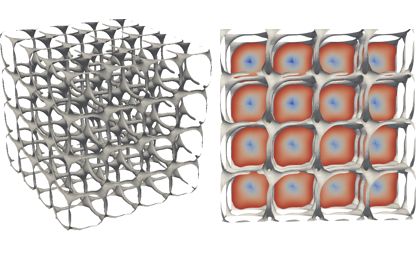
Below’s a teaser image from an article just published today – visit JCGT to see more.

Giving a Good Talk

We’re entering talk season, with a bunch of conferences coming up from May through August. I recently ran across an old article/talk from 1988 (updated in 2001) by Jim Blinn, Things I Hope Not to See or Hear at SIGGRAPH – find it starting on page 17 here. Short version: read it. Some of it’s dated (“don’t spend a lot of time fiddling with the focus”), much is not. You may disagree with some of the ideas there, but it’s worth 10 minutes of your time to check your assumptions. Plus, it’s funny.

Bits I particularly like (honestly, I could quote about a third of it – these are just teasers), slightly out of order, with my own views:

“Many of you are involved in the microcircuit revolution and tend to think this also applies to the text on your slides. It doesn’t. My personal rule is to put no more than six lines of text on any one slide.” – I see this guideline broken a fair bit nowadays, 17 lines on a slide, “hey, we have high-res displays.” You could probably project a whole page of text on the screen – would you? Why not? So, what’s your limit?

“But, you may ask, what if I have more than six lines? Well…just use more than one slide. See? Simple.” Honestly, slides are free. Admittedly there’s a tradeoff with having to read a new slide when it comes up, versus having everything laid out in one slide. But, there’s an excellent reason to avoid busy slides:

“The audience is not going to want to read a lot of text while simultaneously trying to pay attention to what you are saying. Text on slides should just consist of section headings.” If you’re reading your talk off the slide, that’s too much text. I think of the slide’s text parts as bits that fall in between the speaking, giving some structure and helping when attention wavers. There’s also a tendency to make the slideset a self-contained presentation. “You missed my talk? Well, my slideset explains it.” Please don’t. Or do, if you can’t blog or write an article about it, but put the detailed explanation in the notes section for each slide, not in the slide itself. I’ve even seen the speaker’s words in the notes section in one slideset, something I suspect we’ll see more of with AI assistance (cue amusing mistranscriptions – two weeks ago I saw for a speaker’s “there’s a handy link here” a closed caption of “there’s an ambulance here”).

“Don’t put more than one equation on a slide unless it is fantastically necessary.” My rule is to almost never put an equation in a talk, versus the ideas behind the equation, unless the talk is truly about that equation and it’s worth understanding the terms as presented. Equations are like super-dense encodings, a page of text compressed into a line. I don’t expect the speaker to pause and the audience to read and understand three hundred words projected on the screen, so I shouldn’t expect them to read a new equation and comprehend it during a presentation. If you do focus on an equation, his advice:

“Recast your equations into simpler chunks and give each chunk its own name. Make one master slide with the basic equation in terms of these names. Then make a separate slide to define each chunk.” I try something like that here.

“Look up at the audience; it looks a lot better for the TV cameras.” I am guilty of staring at the slide on my laptop’s screen, or worse yet, turning away from the audience and talking to the projected slide.

“Probably the most important parts of your talk are the first and last sentences. Have these all figured out before you go up to the podium.” And, with that in mind, Jim’s ending:

“Look up. Bright slides, big letters.
Uh, I guess that’s all I have to say.
Thank you.”

Scaniverse

I”ve been on a Scaniverse kick. I mentioned it back in March. Since then I’ve been enjoying making scans of objects in my neighborhood and on vacation. It’s a free app for iPhone and Android. (Geez, I sound like a marketing droid. But, honestly, it’s fun to play with and I like seeing 3D Gaussian splats get used.)

What’s nice about the app is that, even if you don’t scan anything, you can see what scans other people have uploaded in whatever area you’re in. Scans are organized by location. That said, some of those scans are poor quality – I wish I could filter them out, and have suggested the same.

The basic things I’ve found with scanning a scene:

  • Pick the “Splat” mode for representing the scene. It’s cool. I’ve never bothered trying the “Mesh” mode.
  • Start scanning from whatever view you want others to first see the object at.
  • Move around! Though, slowly. Walk around and video the object from all sides, if possible. You can kind of see what areas it’s got enough data for while you scan.
  • I usually go around an object at least twice, once with my camera low, once high, and at different distances. Scan for one to three minutes. Going for more than three minutes is too much (they say so).
  • Processing later is fine, as processing, enhancing, and uploading ties up the phone (can’t do anything else) and takes a lot of charge (maybe 5% or more, per scan?).
  • “Enhance scan” seems worth doing, and can even be done multiple times – I haven’t experimented.
  • You don’t have to upload and share any scan, you can keep it just in your library. The library’s a bit odd: you can rename a scan in your library but it won’t change the name on the map, and vice versa. I rename both.
  • More good tips can be found in Library, then the Gear icon. They’re quick and worth reading.

For more on splats and Niantic’s interest and history with them, see this worthwhile article – not dumbed down and with useful links. As mentioned before, Niantic has made their SPZ compressed format public, MIT license. Looking at my own scans, each takes up anywhere from 64 Mb to 632 Mb, with the average range being around 200 Mb.

Update: there are plenty of competitors now out there. The NY Times has a dated but reasonable overview, and their field guide presents some useful tools and techniques. For example, SuperSplat is a fairly nice in-browser (no download!) editor. One not listed there: Airvis. And the RadianceFields site collects a huge number of related platforms, though it’s a bit too much for my tastes. The Reddit group has more practical pointers.

Splats can take up a lot of space on your phone; you can download the models from your library (on your phone) and then delete them. Scaniverse lets you upload and share, but the uploaded model can’t later be downloaded using their interface. If you do share on Scaniverse, delete from your library, and later realize you want to download the model, there is a way: the SPZ/PLY File Converter. In the first line, point it at your Scaniverse online shared scan site’s URL, the second line is the URL of your actual scan on Scaniverse. You can hit the Map button to show you where your scans are, but to download, hit the Info button. You’ll then see a “Download normal” button – don’t bother clicking that. Instead, click the “Direct link” link to the right and an SPZ will download.

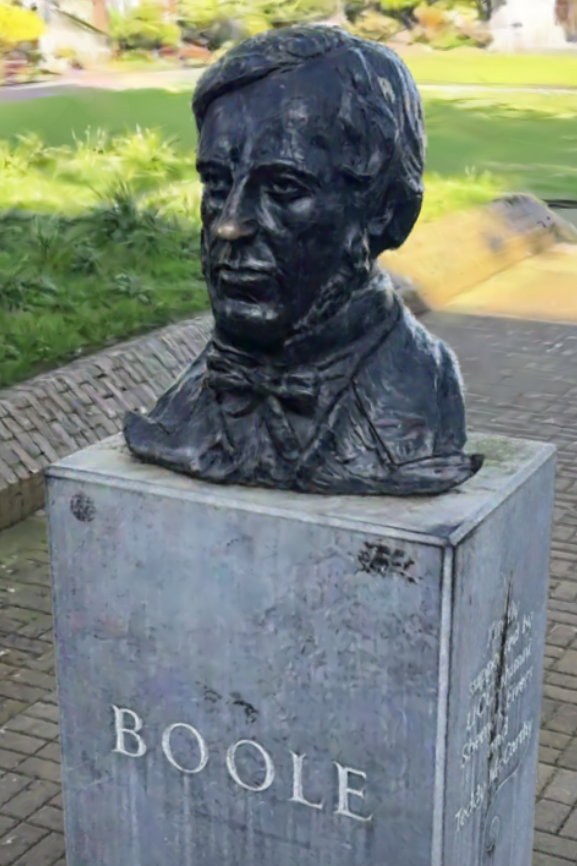
My shared scans are here, and here’s one that should appeal to all computer science types (people rub his nose for good luck):